Connect your AI assistant to your event, with your limits
Ventla connects ChatGPT, Claude and Microsoft Copilot to Ventla through MCP, an open standard, in two ways. Ventla Help answers how Ventla works, straight from the help center, with no sign-in. Your event data lets the assistant work in your events: count who has registered, create an event from a sentence, check and import a participant list, build a website draft. You decide how far it reaches, and it is off until you turn it on.


Two connections: one that knows how Ventla works, one that works in your event
Just ask
Ask how Ventla works, or how your event is going
MCP works like a plug and a socket: you paste an address into the assistant you already use, and it can talk to Ventla. Connect Ventla Help to ask how Ventla works – how waitlists or check-in work, which sub-processors Ventla uses – in English or Swedish, and get the steps with a link to the help article. Connect your event data to ask what you would otherwise count by hand: who has registered, who on the invited list has not answered, which workshop people chose, who is coming to dinner, grouped by company. The answer comes from your event as it is right now.
Build by asking
Create the event, the website and the participant list – by asking
Describe the event in one sentence – a two-day partner forum in Göteborg, 15–16 April, in English with Swedish – and the assistant creates it in Ventla with the name, dates, place, timezone and both languages set. Ask for a website and it builds a draft from a Ventla template in your event's colours, using the program and speakers you already have, with an FAQ and the sign-up form; ask for deep blue and warm gold, elegant and it styles the site. Hand it a messy participant list and it checks it before it imports the clean rows. Events and websites it builds arrive as drafts for you to finish and publish.
Your limits
Powerful, and still yours to control
AI access is off until your organization turns it on. The organization ceiling caps everything at Off, Read or Read + write, and nobody gets in from the ceiling alone: each person needs a grant, for the whole organization or one event, never beyond their own admin role, and with an expiry date if you set one, so it ends by itself. Mask personal details so an email address comes back as j***@e***.com. Every change an assistant makes is in the audit trail marked (via MCP), publishing a website is a permission of its own, and one switch stops every connection at once.
What's included
Everything that comes with AI access
Ventla Help: how Ventla works
Ask how sign-ups, waitlists or check-in work, in English or Swedish, and get the steps with a link to the help article. No sign-in, and it cannot see your data.
A new event from a brief
One sentence with the name, dates, place and languages, and the event is created as a draft. Activating it and opening it to participants stay with a person.
Spreadsheets checked, then imported
Hand over a messy file of participants, sessions or speakers. The assistant checks it like the import page – invalid emails, duplicates, people already on the event – and imports the clean rows when you say so.
A website draft
A site from a template in your event's language and colours, built from the program and speakers you already have, with an FAQ and the sign-up form. It stays a draft until you publish it.
An API for your own systems
Scripts, custom agents and tools like n8n or Zapier connect with a personal key to the same actions, limits and audit trail as an assistant.
Ideas with your CRM
An assistant connected to both Ventla and HubSpot, Salesforce or Dynamics can carry invitations and answers across. There is no ready-made CRM integration: the assistant is the bridge.
AI access vs. copy and paste
Why not just paste an export into the chat?
Pasting a participant list into an assistant works once. A connection keeps the answer current and the data under your control.
An up-to-date answer
- Export and paste
- As old as the export
- Ventla
- Read from the event the moment you ask
Getting the data in
- Export and paste
- Export, tidy the columns, paste
- Ventla
- Ask, and the assistant fetches what it needs
Personal details
- Export and paste
- The whole list sits in a chat
- Ventla
- Only what the question needs, masked if you choose
Doing the work
- Export and paste
- The assistant tells you how
- Ventla
- It does the work when you allow it; new events and websites arrive as drafts
A record of what happened
- Export and paste
- None
- Ventla
- Every change in the audit trail, marked (via MCP)
Stopping it
- Export and paste
- Hunting down every pasted file
- Ventla
- One switch caps every connection at once
| What you need | Export and paste | Ventla |
|---|---|---|
| An up-to-date answer | As old as the export | Read from the event the moment you ask |
| Getting the data in | Export, tidy the columns, paste | Ask, and the assistant fetches what it needs |
| Personal details | The whole list sits in a chat | Only what the question needs, masked if you choose |
| Doing the work | The assistant tells you how | It does the work when you allow it; new events and websites arrive as drafts |
| A record of what happened | None | Every change in the audit trail, marked (via MCP) |
| Stopping it | Hunting down every pasted file | One switch caps every connection at once |
See it in action
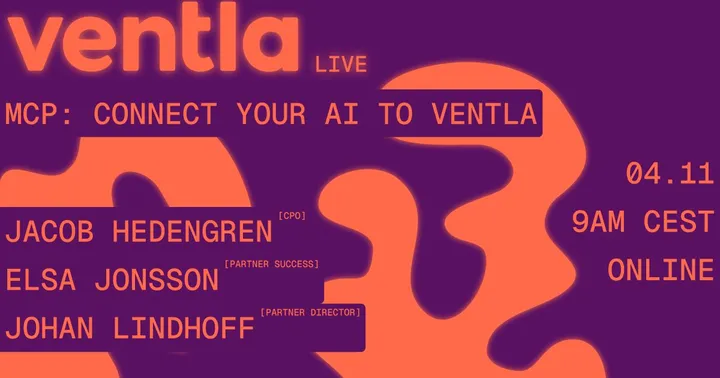
On demand30 min
Ventla Live webinar
MCP: Connect your AI assistant to Ventla
Connect ChatGPT or Claude to Ventla over MCP, and let your assistant check registrations, analyse participant data and build event websites.
With Jacob Hedengren, Elsa Jonsson
Built with VentlaWatch on demand(opens the event page in a new tab)Blog post
AI in event planning: How MCP can change the landscape
Using AI for more than invitations? Five things you can hand over once your AI assistant is connected to Ventla through MCP.
- AI event planning
- MCP
- AI assistant
Read the post →
Numbers from real events
- attendees, Audi Sweden dealer conferenceRead the Audi Sweden case study
- 180
- app adoption, Orkla Foods kickoffRead the Orkla Foods case study
- 99.4%
- event score, Svedea kickoffRead the Svedea case study
- 9.3/10
See Ventla in a 30-minute demo
We'll walk you through the Ventla platform and answer your questions about your next event.
Book a demo