An event website builder that knows you
Ventla's event website builder turns your event into a branded web page – program, speakers, sponsors and registration form included. Drag in blocks, publish to a live address, and the site keeps itself up to date as the event changes.


From a blank page to a live event website – without a developer or a line of code
Drag and drop
Drag in your program, your speakers, your form – they fill themselves in
Start from a Ventla template, one of your organization's own or a blank page. Drag in sections and components – galleries, FAQ, maps, a countdown, the weather, sponsor logos and quotes. Event content blocks read what you already built in Ventla, so the program, speakers, sponsors and news feed follow the event: change a speaker's photo and the website has the new one. The registration form goes on the page like any other block. Prefer to describe it? Connect ChatGPT, Claude or Copilot to Ventla over MCP, and your assistant can build the site from a brief – it stays a draft until you publish.
Design
Event websites that look like your event – not like a template
Colours and fonts start from your event, and changing them re-skins every page at once. Put a gradient, a picture or a video behind any section, and set poster-sized Giant text in a gradient or an outline. Add galleries, stats that count up, a moving band of sponsor logos, a countdown and the weather – and every block reflows for phones on its own. Or ask your AI assistant for “dark green and cream” – it sets the colours, fonts, sections and how they glide in as visitors scroll, and can change one thing without touching the rest.
What's included
Everything you need for an event website
Event content that stays live
Program, speakers, sponsors, partners, exhibitors and the news feed come straight from your event. Publish a session and it appears on the site – nothing to copy or re-upload.
Public, or for invited guests only
Open the site to anyone with the link, or only to guests who arrive through their personal link – with the registration form already filled in. New sites stay out of Google and AI search until you switch it on.
Publish now or later
Publish straight away or at a time you choose. Ventla warns you about empty blocks first, and every page keeps a version history you can restore from.
Your own domain
Every site works on a Ventla address straight away, or on your own domain. Move a live site and the old address keeps redirecting, so shared links still work.
Link previews that look good
Share the link on LinkedIn, Teams or Slack and it turns into a card with a picture, a title and a line of text – made for you, or with your own picture.
An AI assistant that can build it
Connect an AI assistant to Ventla and it can set up the website from a brief – colours, fonts and sections – and leave it as a draft until you publish.
Ventla vs. website builders
Why not just use a regular website builder?
A regular website builder is great for a company site. An event page has to know who's coming, what's on the program and who was invited.
Program and speakers on the page
- Website builders
- Typed in, and updated by hand
- Ventla
- Read from your event, and kept up to date on their own
A registration form
- Website builders
- Embedded from another tool
- Ventla
- Your Ventla form, with answers straight into the participant list
A page only invited guests can open
- Website builders
- A shared password or a separate member login
- Ventla
- Each guest opens it with their own personal link
Guests' details in the form
- Website builders
- Typed in again by every guest
- Ventla
- Already filled in from the personal link
The event's colours and fonts
- Website builders
- Chosen again for each site
- Ventla
- Taken from your event automatically
A link that looks good when shared
- Website builders
- Set up page by page
- Ventla
- An automatic preview card for LinkedIn, Teams and Slack
| What you need | Website builders | Ventla |
|---|---|---|
| Program and speakers on the page | Typed in, and updated by hand | Read from your event, and kept up to date on their own |
| A registration form | Embedded from another tool | Your Ventla form, with answers straight into the participant list |
| A page only invited guests can open | A shared password or a separate member login | Each guest opens it with their own personal link |
| Guests' details in the form | Typed in again by every guest | Already filled in from the personal link |
| The event's colours and fonts | Chosen again for each site | Taken from your event automatically |
| A link that looks good when shared | Set up page by page | An automatic preview card for LinkedIn, Teams and Slack |
See it in action
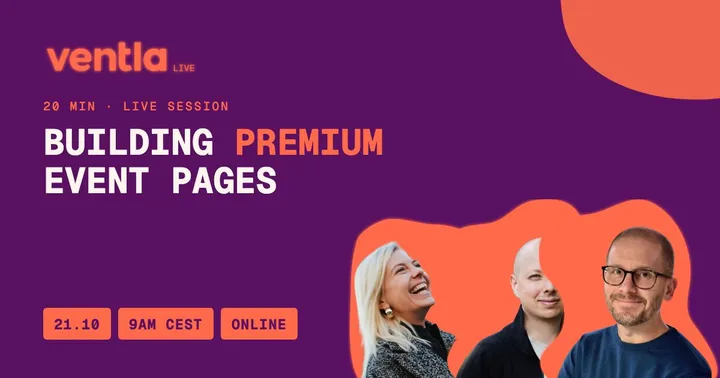
On demand20 min
Ventla Live webinar
Building premium event pages
How to use layouts, images and colours to make an event page look professionally designed, built live in the new Ventla.
With Elsa Jonsson, Johan Lindhoff
Built with VentlaWatch on demand(opens the event page in a new tab)Blog post
7 ways to make your event registration page feel premium (and get more sign-ups)
Your event registration page is your first impression. 7 practical design and copy tips that make it feel premium and get more sign-ups.
- Event registration page
- Event website
- Event design
Read the post →
Numbers from real events
- attendees, Audi Sweden dealer conferenceRead the Audi Sweden case study
- 180
- app adoption, Orkla Foods kickoffRead the Orkla Foods case study
- 99.4%
- event score, Svedea kickoffRead the Svedea case study
- 9.3/10
See Ventla in a 30-minute demo
We'll walk you through the Ventla platform and answer your questions about your next event.
Book a demo