
For event agencies & partners
The platform your agency can build a service around
Ventla is the event platform agencies build their service around: registration, the event app, emails and check-in for every client, under the client's brand. Run each event in the client's own organization or in yours with one department per client, give the client a white-label app with their own name in the stores, and hand over live numbers when the event is done.

Agencies and their clients run events on Ventla


Two setups
Run it in the client's organization, or in yours with a department per client
Ventla runs an event in one of two places, chosen when you create it. In the client's own organization, the client invites your team, everything carries their brand and terms, and the event stays with them afterwards – the right fit for a client who runs events regularly or wants to own the data. In your organization, each client gets a department with its own colours, logo, fonts and website templates, and their people see only that department when you make them its Department Admin – the right fit for one-off productions where you provide the whole service. One login works across every client, with Switch organization at the top of the menu.
Client's organizationA department per clientOne login for every client
The client's brand
Their name on the app, the emails and the confirmation
Give a client a white-label app with their own icon and name in the App Store and on Google Play, with Ventla underneath. It is published from the client's own developer accounts, and Ventla prepares the listing, handles Apple's review and ships the updates. Emails go out with the client's sender name and reply-to address, and from the client's own domain once their IT has added the records under Email domains. A department's Branding & fonts carry into every event created in it, and the confirmation PDF shows the event, not your agency's name.
White-label appClient's sender and domainBranding per department
Handover
Hand over the numbers and close everything behind you
When the event is done, share a live report with the client: a plain link with counts only, or a personal link with the columns you choose, opened with a six-digit code and with an end date. Export the participant list, poll results and check-ins they should keep. Shared links lists every report, scanner and rooming-list link the event handed out, and Turn off ends each one. Then remove the access nobody needs any more, in either direction, and archive the event.
Live report linksExports to keepEvery link turned off
Case studies
Showrun by
all eventskick-offsconferencesdealer & customer eventsinaugurationscompany trips
anyonein-house teamsevent agencies
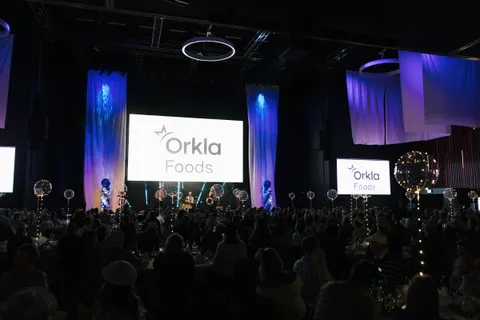
Orkla Foods Sweden
How Ventla unified information and created participation across Orkla's kickoff
Read their story: Orkla Foods Sweden →
Svedea
A kickoff that scored 9.3 out of 10, and started six months before anyone even knew where they were going
Read their story: Svedea →
Audi Sweden
Three hotels, 180 attendees, personal schedules. How Ventla kept it all together.
Read their story: Audi Sweden →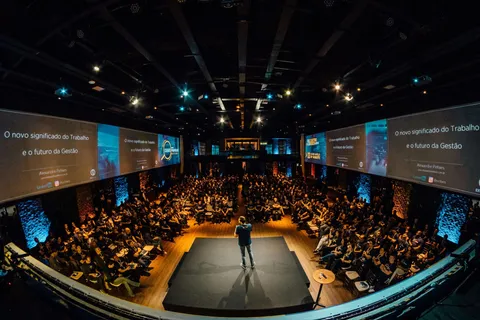
LF Fastighetsförmedling
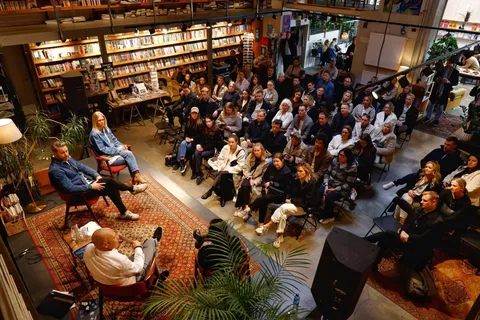
A whole ship full of a 20th anniversary
Read their story: LF Fastighetsförmedling →
No case study matches both filters yet.
What's included
Built for running other people's events
One login for every client
Your account works in every client organization you are invited to, with a different role in each if needed. Switch between them from the top of the menu.
Roles that reach exactly far enough
Org Admin, Department Admin, Event Admin or Event Staff: give each person, yours or the client's, the reach the job needs, and remove it when the job ends.
Reuse your craft, not client data
Duplicate an event and tick what to bring: look, forms, emails, websites, polls and the team. Participants stay behind unless you choose them.
Volunteers at the door, no account
Hand door staff a scanner link with a label and an optional PIN. It opens on their own phone, and you revoke it the moment the doors close.
A record of your work
The audit trail shows what your team published, sent and changed in a client's event, and when – including who was given access and who lost it.
Data in Sweden
Hosting, database and files run in Google Cloud's Stockholm region. The organizer is the data controller and Ventla the processor, under a data processing agreement.
Ventla vs. one tool per client
Why build your agency's service on Ventla?
Many agencies rebuild the same event in a new form tool, a new email tool and a new app for every client. In Ventla your craft carries over from one event to the next, while each client's brand, data and access stay their own.
Each client's look
- One tool per client
- Rebuilt in every tool
- Ventla
- A department per client with its own colours, fonts, logo and templates
Emails
- One tool per client
- Sent from your agency's address
- Ventla
- The client's sender name and reply-to, and their domain once verified
The client's app
- One tool per client
- A generic app with a logo added
- Ventla
- A white-label app with the client's name and icon in the stores
Next year's event
- One tool per client
- Start again from a blank page
- Ventla
- Duplicate what you tick; participants stay behind unless you choose them
Access for your team and the client
- One tool per client
- Shared logins
- Ventla
- A role per person, removed when the job ends
Reporting to the client
- One tool per client
- A spreadsheet after the event
- Ventla
- A live report link, plus the exports they should keep
| What you need | One tool per client | Ventla |
|---|---|---|
| Each client's look | Rebuilt in every tool | A department per client with its own colours, fonts, logo and templates |
| Emails | Sent from your agency's address | The client's sender name and reply-to, and their domain once verified |
| The client's app | A generic app with a logo added | A white-label app with the client's name and icon in the stores |
| Next year's event | Start again from a blank page | Duplicate what you tick; participants stay behind unless you choose them |
| Access for your team and the client | Shared logins | A role per person, removed when the job ends |
| Reporting to the client | A spreadsheet after the event | A live report link, plus the exports they should keep |
See Ventla in a 30-minute demo
We'll walk you through the Ventla platform and answer your questions about your next event.
Book a demoFrequently asked questions
Can the event app carry our client's name?
Yes. A white-label app has the client's own icon and name in the App Store and on Google Play, with Ventla underneath. It is published from the client's own Apple and Google developer accounts, in their legal name, and is a separate cost on top of the store fees. Plan for a few weeks, mostly waiting for Apple and Google to verify the organization; Ventla prepares the listing, handles Apple's review and ships the updates. Participants can also use the same app in a browser.
Who owns the participant data?
The organization the event sits in. Run it in the client's own organization and the event and its data stay with the client; run it in a department of yours and they stay with you. The organizer is the data controller and Ventla the processor, and data is stored in Sweden. Settle with your client before the first import who is responsible, and write it into your agreement with them.
Can we run several clients at once?
Yes. One account works across every client organization you are invited to, and you switch between them from the top of the menu. In your own organization, each client can have a department with its own branding, website templates and email domains, and a Department Admin sees only their own department and its events.
Will participants see our agency's name?
Not when the event sits in the client's own organization: participants see the client's logo, colours and sender, and nothing says that an agency built it. In a department of your organization, your organization's name appears in the email footer and on the unsubscribe page, and participants accept your organization's terms. If that must not happen, set the event up in the client's organization.
What happens when the engagement ends?
Share a live report with the client, export what they should keep, turn off every shared link, remove the access nobody needs, and archive the event. If the event ran in the client's organization, they remove your team's access, and your Ventla account stays yours.